L.A.S.E.R (Laser Arc Simulation for Evaluation and Research) is a puzzle game where YOU use your big brain to manipulate laser beams into hitting the correct targets.
Introduction: Hi! My name is Wesley Pickering and this *gestures wildly at confused friends* is Mert Arslan and Michael Lu. We are 3 students at UC Berkeley and this is our devblog, documenting our progress on this project. Follow along as we build this project up from the ground to our release on the app store!
Hi again, Wes here! T minus 8 days til our game is showcased at an event held by Game Design and Development at Berkeley. This is the biggest milestone and will also be the release date for our game on google play store so look out for that. Anyways, onto the updates. This week saw possibly the biggest upgrade for L.A.S.E.R since the start.
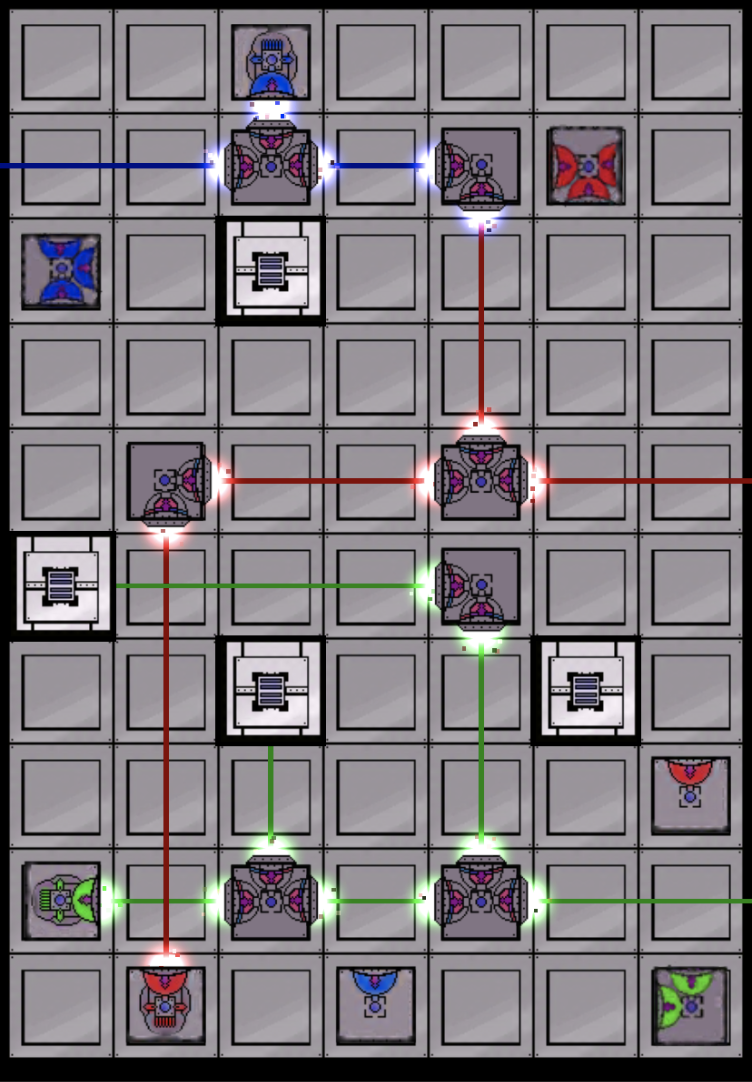
Mechanics : We implemented some new functionality to obstacles and laser sources, allowing them to be activated or deactivated when certain targets are turned on by lasers. No sprites yet, but expect some fun multi-layered puzzles coming soon 🙂 Laser Beams : The lasers actual have some character now! What once were stationery lines are now laser beams that fluctuate in width and color to an extent. This can’t really be shown through pictures but trust me, its cool. Particle Systems : These upgrades are by far my favorite. Laser beams should feel alive and powerful, and these particle systems help reinforce that. Ports have cool particle systems attached to them which are turned on or off based on lasers.
Particle Systems based on color of outgoing laser
Next: Gameplay Update! Due to all the feedback we got at our playtest, we made the decision to scrap the Manipulator GUI altogether and massively simplify controls. Now the player just has to drag to reposition, tap to rotate, and drag offscreen to remove. No more extra, suboptimal button presses 🙂
Thats it for last week! This next week we are in cram mode. We are trying to pump out 15 more levels using the new mechanics, get out some polished sprites, and change the level UI to fit the theme better. As always, thanks for reading and see you next week! Cheers!
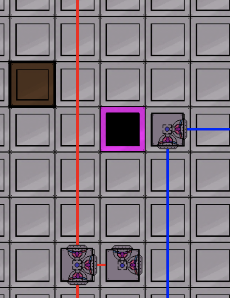
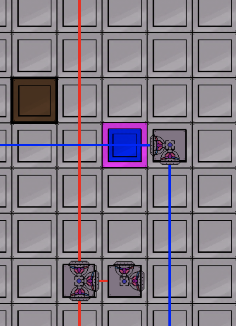
Hiya everyone, Wes again. I’m officially writing this on Friday BUT I’ll only be covering stuff done by Monday, 4/22. This update should be fairly short and sweet. Since the last post, I’ve started working on a new tile/mechanic. The name is still in progress, but its a cool one. This is the first non-physical tile, in that it doesn’t obstruct any lasers or redirect anything. It is essentially a target, in that you have to activate it to beat the level. These tiles will have a color that you have to match. The trick is that the color might not be the color of any one laser. That’s right, you have to cross the correct different colored lasers over the tile to activate it. That explanation sucked, but these pictures should help.
In Picture 1 below we see a black and pink tile. The pink border represents our target color. The black filler represents our current color. In Picture 2, a blue laser is reflected across the tile, changing the inside to blue. In Picture 3, a red laser is also reflected across the tile, creating a blue+red = purple color to match the border.
In addition to this tile, we are now at 19! count em 19 levels. They are super cool and you can check them out on our itch.io page :). In terms of updates, that is all for this week. Next week you should expect to see some awesome visual updates as that is our next focus. See you soon! Cheers 🙂
Hello everyone! Its me, Wes, back again with yet another weekly update. Last week was a week of some much needed visual updates. We got our first set of sprites finished, implemented different colored laser mechanics, and cleaned up a lot of UI and menu screens.
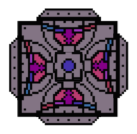
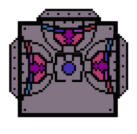
A 4-port Manipulator
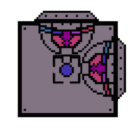
A 3-port Manipulator
A 2-port Manipulator
A Red Laser Source
A Red Laser Target
A Green Laser Target
A Green Laser Source
A basic floor
A Blue Laser Target
A Blue Laser Source
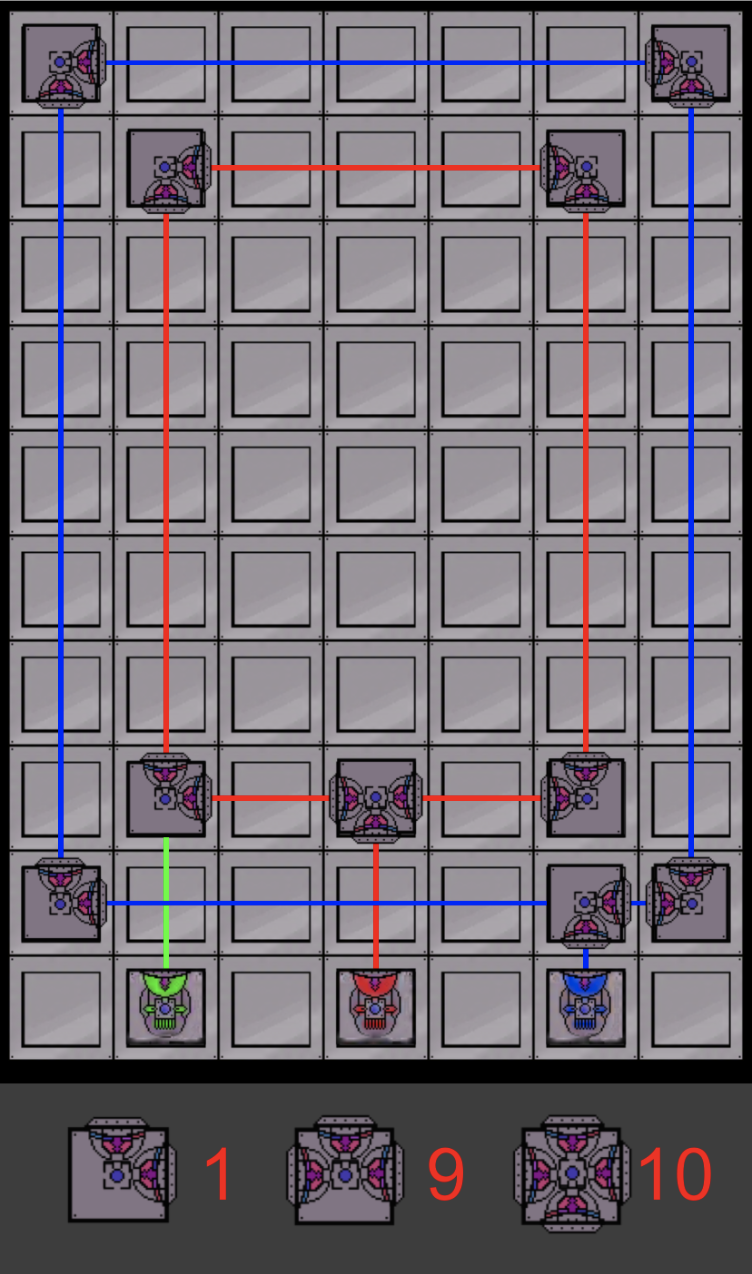
Above you can see all the sprites that are now a part of the game. Below, you’ll see what a level might look like with these sprites. Something else you might have noticed: The UI at the bottom panel now makes sense. No more of those unintuitive white boxes. Each manipulator has a corresponding number for the available amount left.
That’s it for this week! We have a milestone next Wednesday, in which we should have some fun new mechanics and puzzles ready for the public! See you next week!
Hi Everyone, Wes here with another weekly update. Last Wednesday, we attended our first playtest and got tons of great feedback, so thank you to all the playtesters! We heard a lot of the complaints about our UI and the lack of intuition and were able to make some QoL changes to fix that. I’ll explain those changes in just a bit.
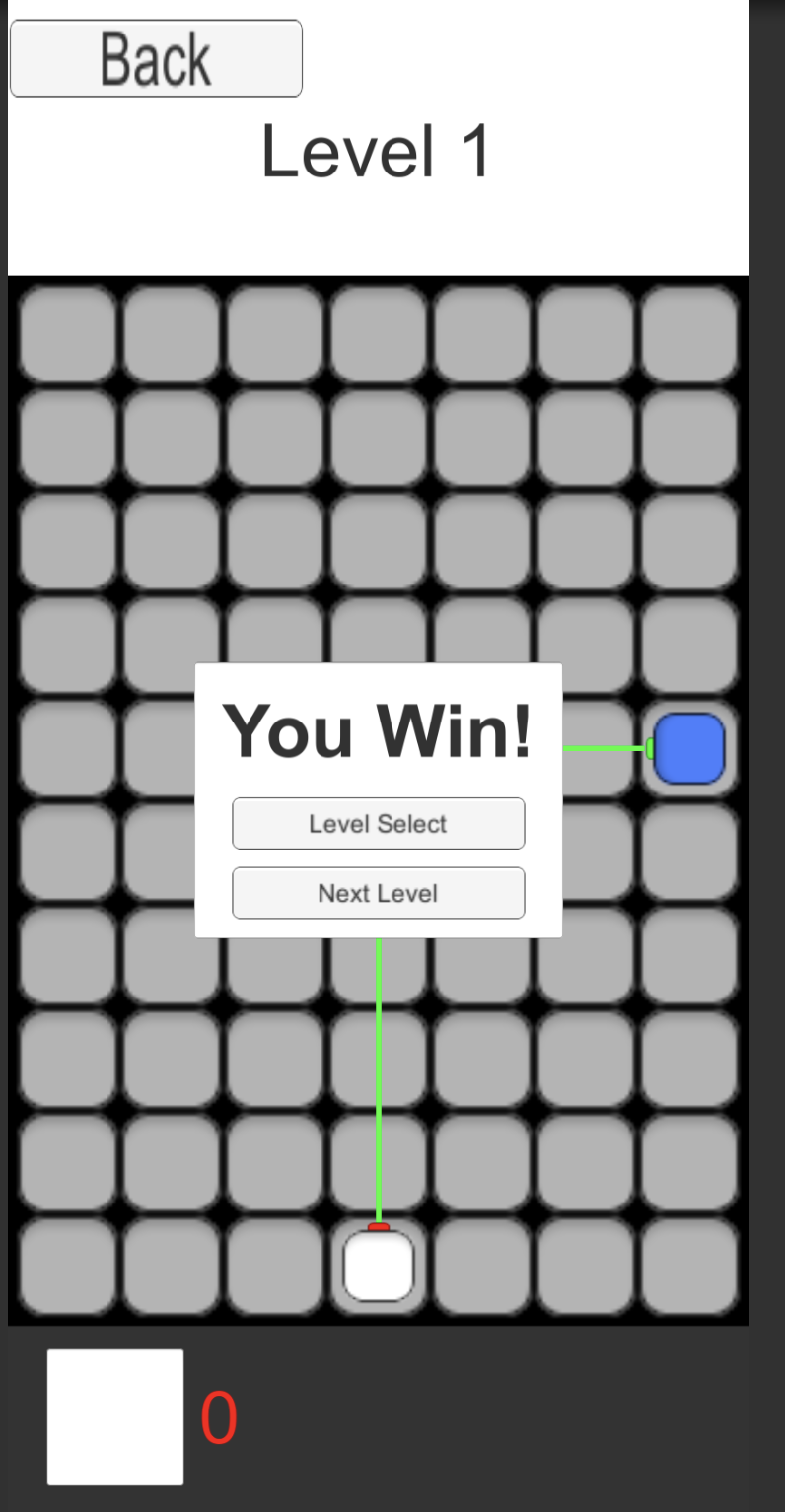
On the Programming side, I made a lot of progress with a bunch of behind-the-scenes systems. We developed a system allowing us to create and store levels on a much more scale. The Board Manager now instantiates levels according a json file that stores all info necessary for a level. As far as UI goes, we updated 3 things. Although not shown below, you are able to reposition manipulators that you have already placed in the scene, so you don’t have to delete and drag back in. The sprites aren’t quite there yet, but you’ll notice at the bottom next to the white square is a number representing how many of that manipulator you have left. It increments and decrements accordingly. Finally, we have a win condition and a rather bland Win UI.
In the upcoming week, we are planning on implementing some fun new color-based mechanics and more levels! See you next week!
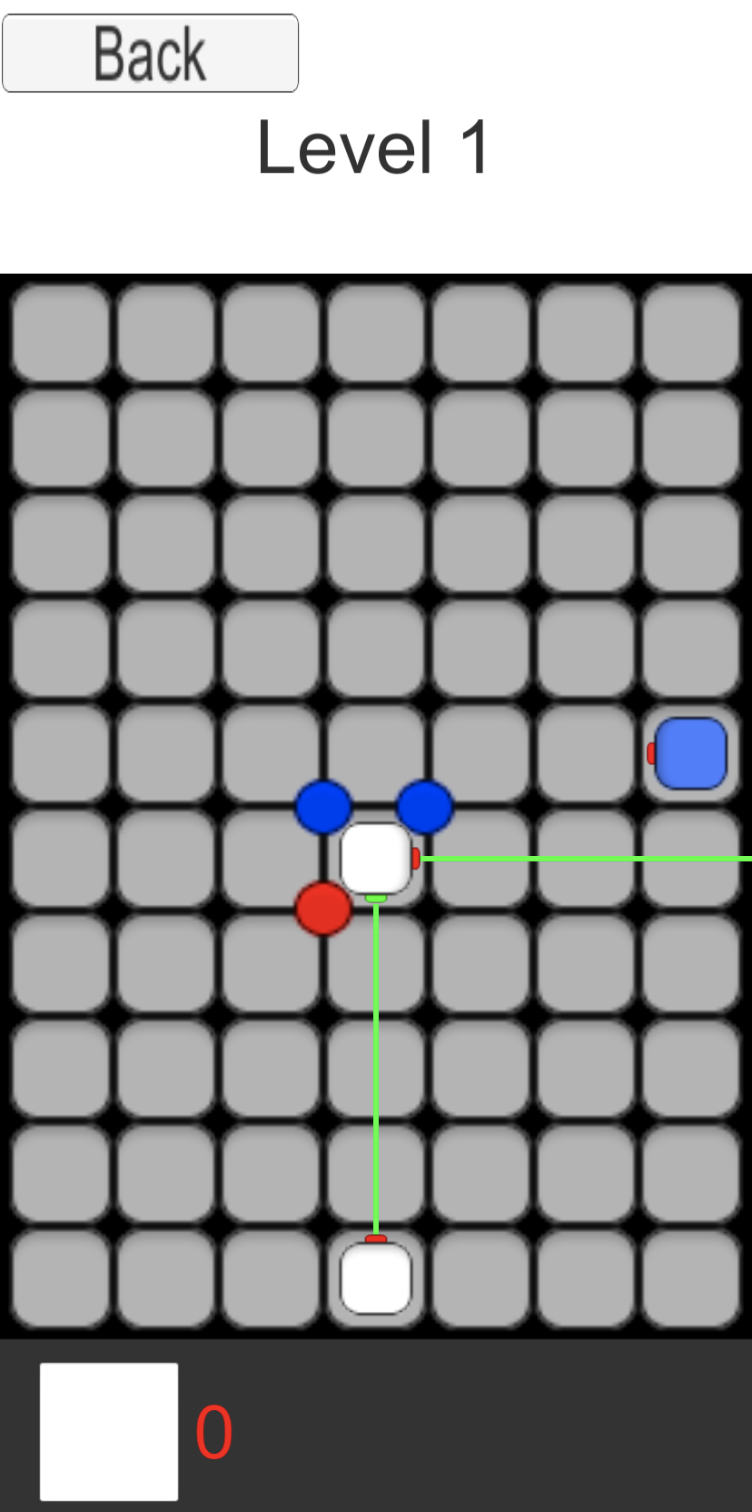
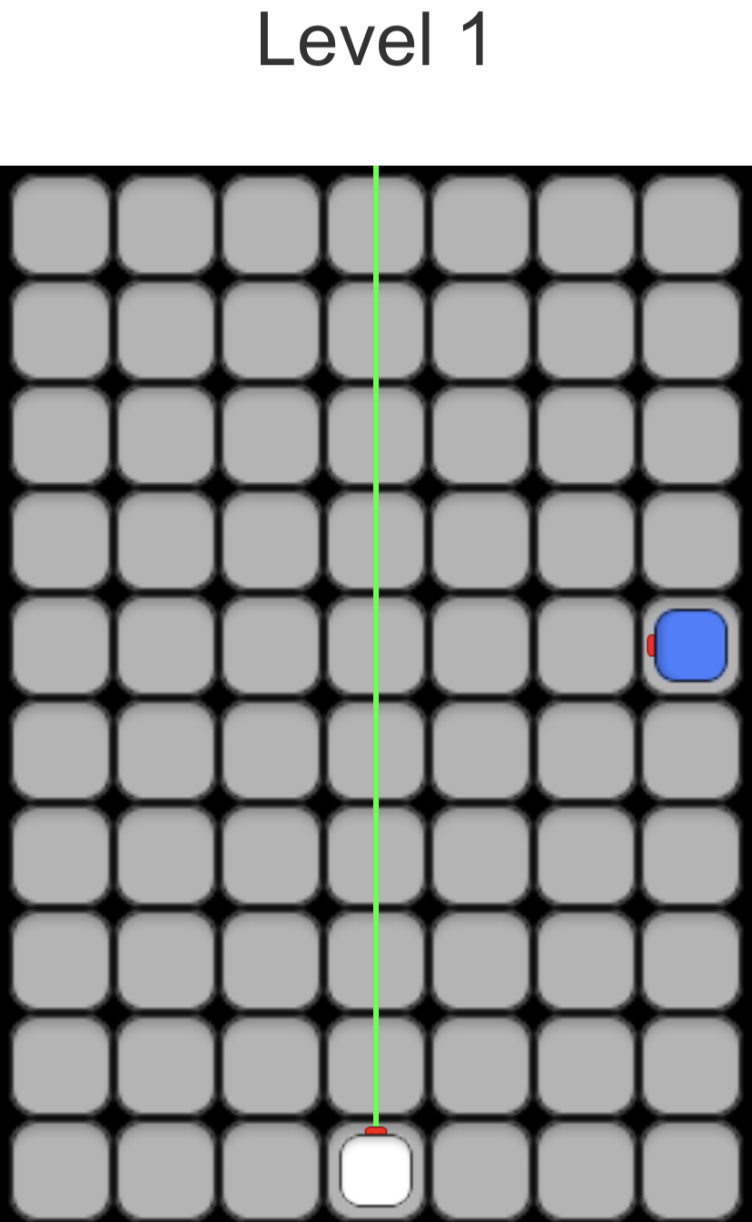
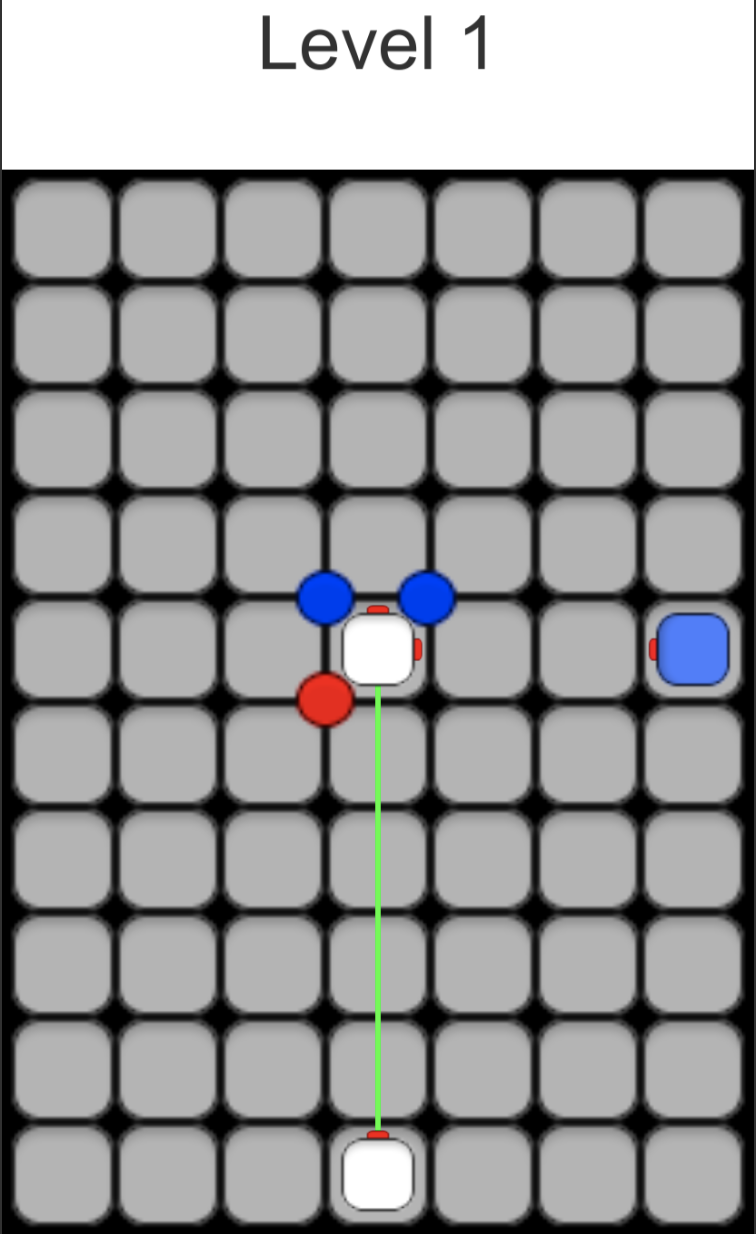
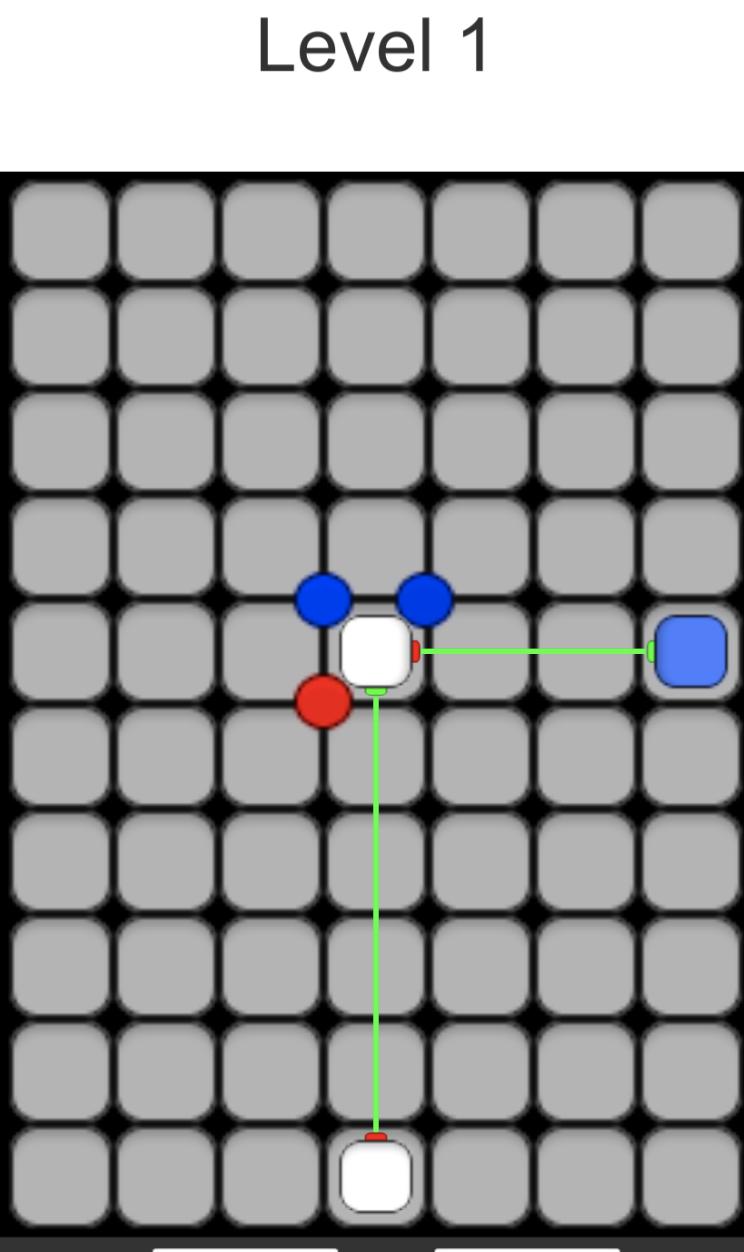
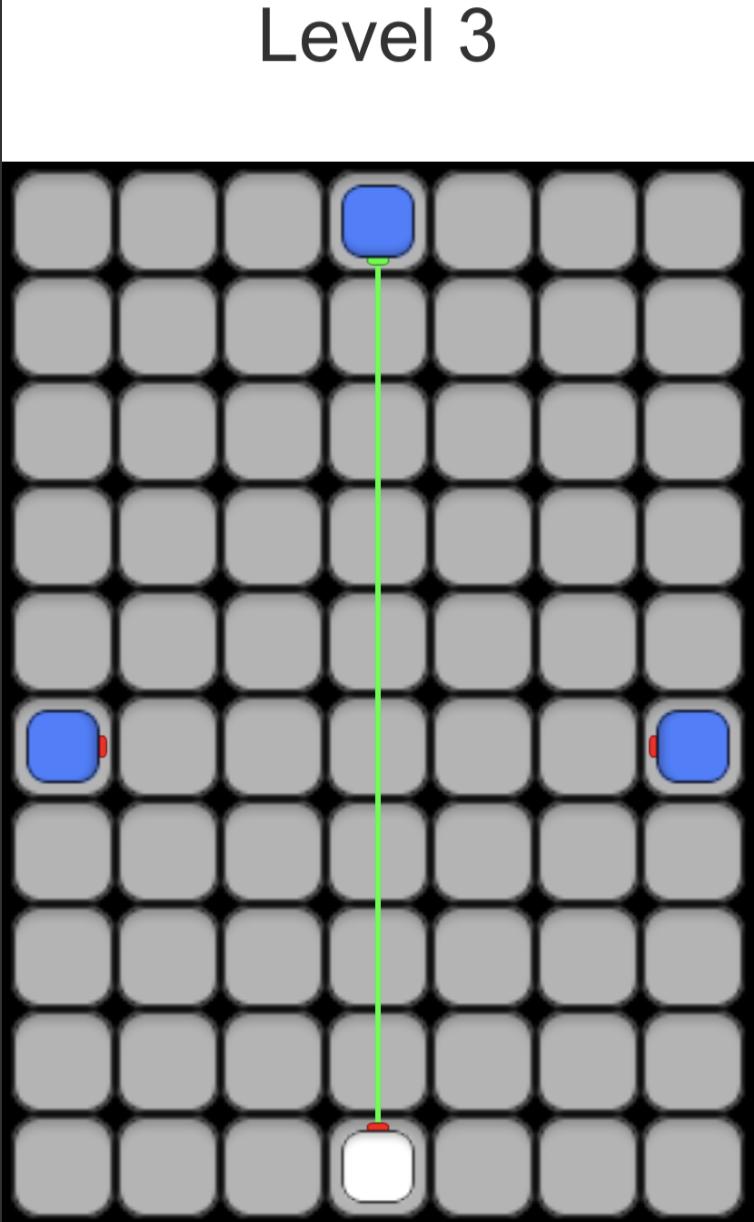
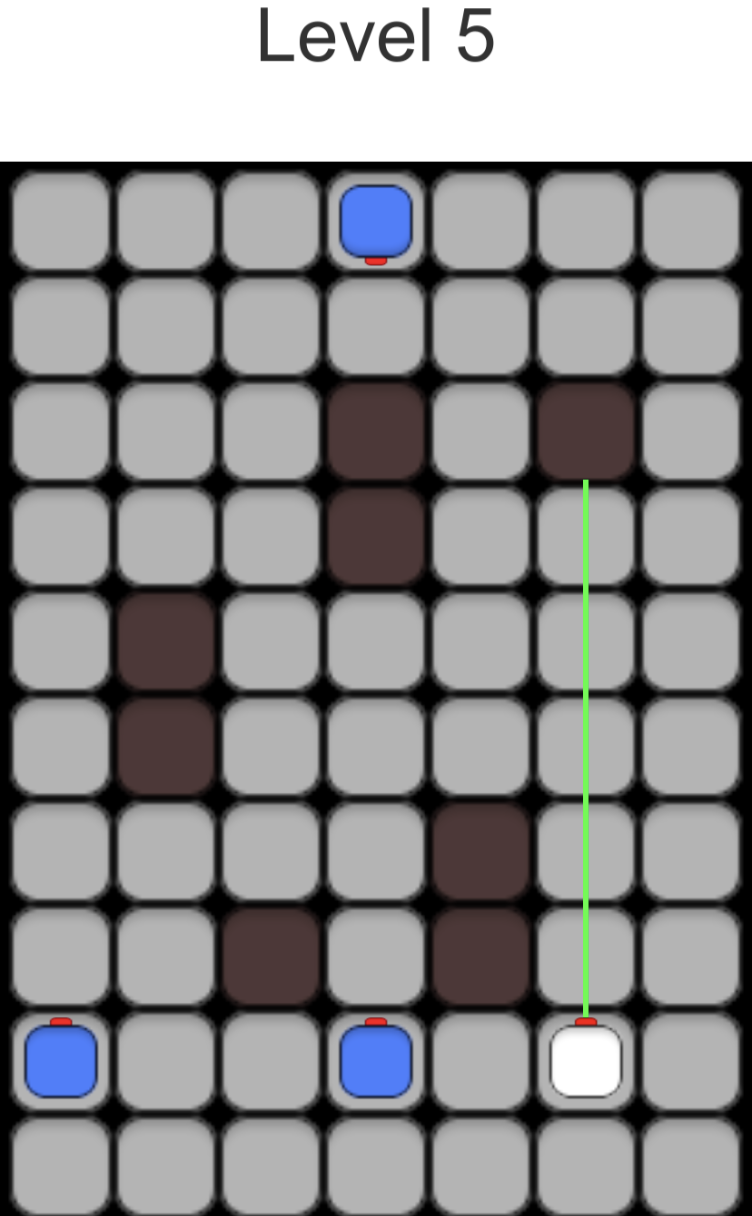
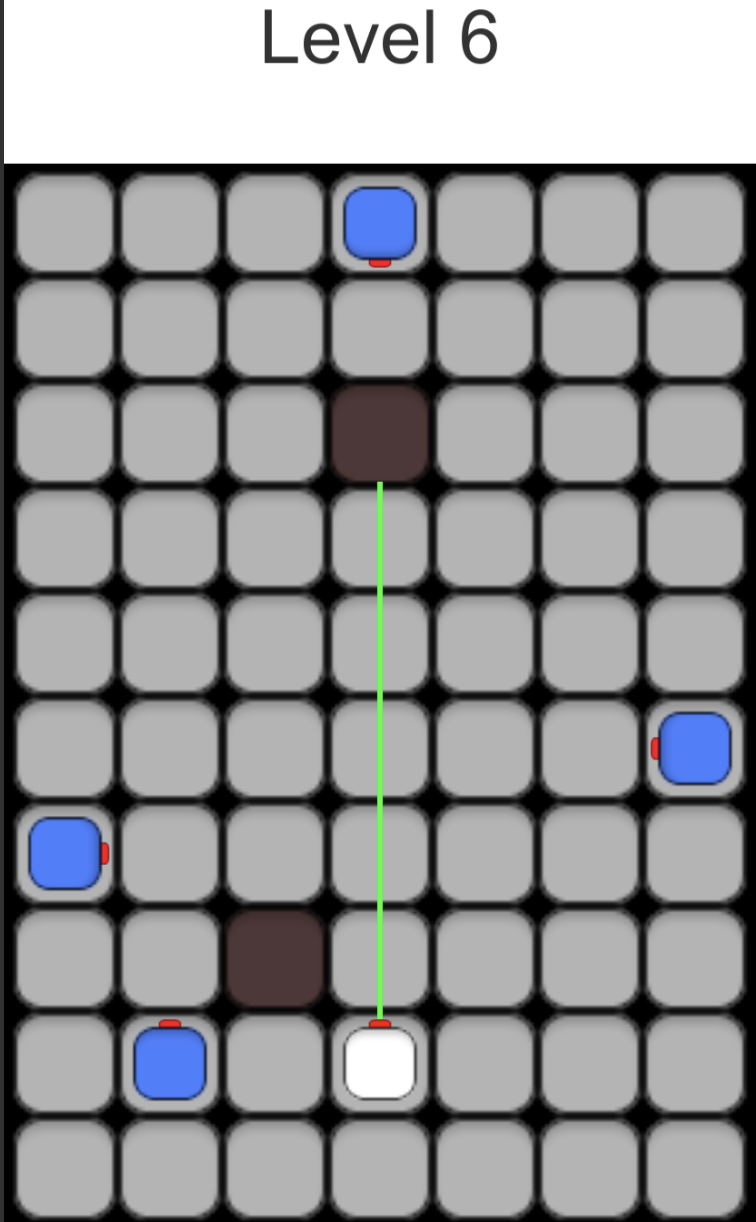
Hi Y’all, Wesley here! So we decided to scrap our project completely and build a water game instead. hah hah uh April fools and whatnot. Oh wow I’m hilarious. This week saw some big upgrades on 2 fronts. On the programming end, we now have transitions between different scenes and levels, drag and drop UI for manipulators, rotate and remove UI for manipulators, map creation scripts, Laser Targets with 1 to 4 ports, and a couple other systems I can’t remember for the life of me. On the Design end, we have 6 levels, count them, 6! and I can barely solve the first one so good thing I have the solution guide :). If you’re interested in the levels, check them out below. a 2-port manipulator is the L shape, while a 3-port manipulator is a T shape. Each manipulator has x ports, each with the same functionality. Any port can act as an input, causing lasers to spew out the remaining ports and trigger more manipulators. That’s it for this week! If you want to check out the game, I will be uploading it to itch.io very soon 🙂 I’ll post the link in the top blog post. Cheers!
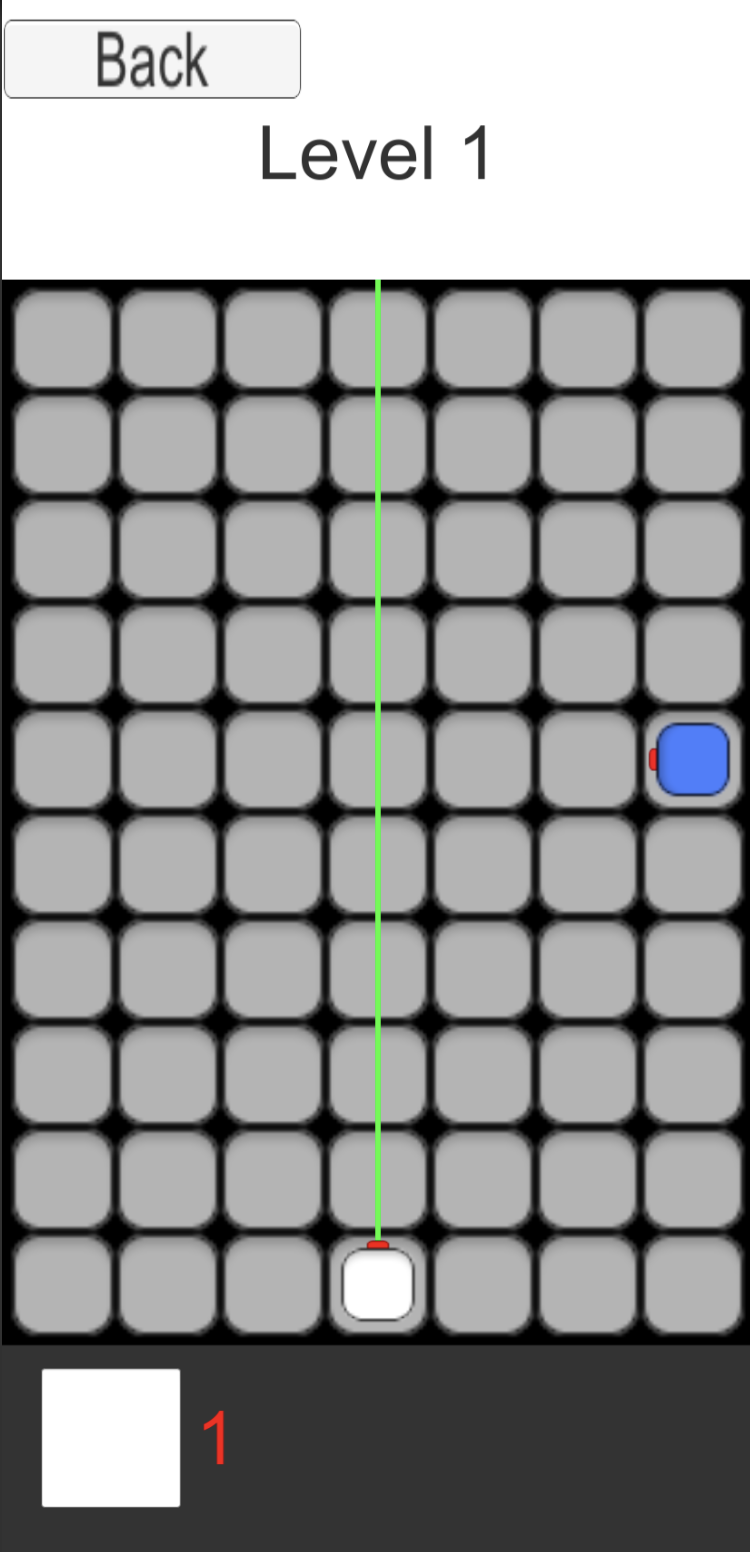
Level 1: A Laser Source (white) and a Laser Target (blue)
Add in a manipulator with 3 buttons, rotate right, left, and delete
A simple solution, activating the red port on the laser target
An elegant solution, nonetheless
Level 3: Try to solve using 2 of the 3-port and 1 of the 2-port
Try to solve using 2 of the 3-port and 4 of the 2-port
Try to solve using 3 of the 3-port and 2 of the 2-port
This week I worked on the fundamental building blocks of the laser puzzle game. I broke it down into 3 things: laser source, manipulator, and obstacle. A laser source (white square with single red port) emits a constant beam. An obstacle (brown square) obstructs all laser beams. A Manipulator (white square with > 1 port) has 2 ports that are adaptable. Either port can be hit with a laser beam, redirecting it out the other port(s). At the bottom of the picture you can drag grey boxes to create new reflectors in the scene. Next week, I will be focusing on implementing a puzzle board to align all the blocks within and creating the UI to select, move, rotate, and remove manipulators that have been placed in the scene. Cheers! 🙂
Introduction: Hi everyone, my name is Wesley Pickering and this is Mert Arslan and Michael Lu. We are 3 college students at UC Berkeley working on a laser puzzle game. Follow along with our progress! More updates coming soon!






 Laser Puzzle Game